

In an era where digital privacy is a battleground, WhatsApp has just quietly deployed a massive upgrade to its defensive arsenal. While you might not see any flashy new UI buttons today, the app has undergone a “heart transplant” that fundamentally changes how it handles the media you receive.
From a complete architectural shift to the programming language Rust to a new “lockdown-style” setting, here is how WhatsApp is hardening its platform against the most sophisticated mobile exploits and spyware.
The Move to Rust: Why 160,000 Lines of Code Matter
For years, the industry standard for high-performance applications has been C++. However, C++ is notorious for “memory safety” vulnerabilities—bugs that allow hackers to trick a program into accessing parts of your phone’s memory it shouldn’t touch.
In its largest global rollout of the language to date, WhatsApp has replaced 160,000 lines of older C++ code with 90,000 lines of Rust.
Why Rust is a Game Changer:
-
Memory Safety by Design: Rust prevents the most common types of security bugs (like buffer overflows) during the coding process itself.
-
Efficient Performance: Despite being more secure, the new library actually uses less memory and runs faster.
-
Universal Protection: This update isn’t just for Android or iOS; it also covers Desktop, Web, and wearable devices.
Meet “Kaleidoscope”: The New File Guard
Beyond the language shift, WhatsApp introduced an internal inspection system called Kaleidoscope. Think of it as a specialized TSA for your digital files.
Instead of just checking if a file is a “photo,” Kaleidoscope inspects the structure of every file you receive. It is specifically designed to catch:
-
Structural Oddities: Malformed files that might “break” your phone’s operating system to let malware in.
-
MIME Spoofing: Detecting if a dangerous executable file is pretending to be harmless.
-
High-Risk Elements: Scanning PDFs for hidden scripts or embedded content is often used in targeted phishing.
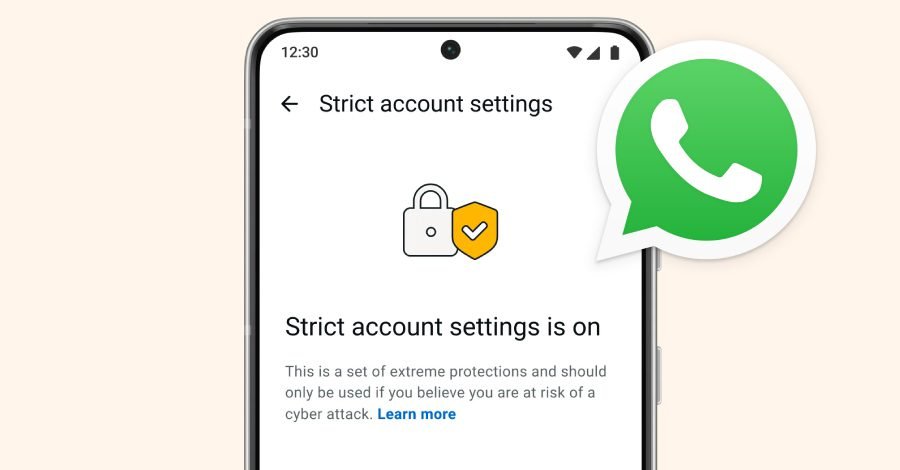
Strict Account Settings: The New “Lockdown” Mode
Following the lead of Apple’s “Lockdown Mode,” WhatsApp is rolling out Strict Account Settings. This is an optional, high-security configuration designed for users who are at a higher risk of being targeted, such as journalists, activists, or public figures.
What happens when you turn it on?
-
Blocked Media: The app automatically blocks attachments and media sent from people not in your contact list.
-
Silenced Calls: Calls from unknown numbers are automatically muted.
-
Restricted Features: Features like link previews are disabled to prevent your IP address or device data from leaking to malicious servers.
How to Enable the New Protections
While the Rust and Kaleidoscope updates happen automatically “under the hood,” you have to manually opt into the most restrictive settings.
Step-by-Step Activation:
-
Open WhatsApp.
-
Go to Settings > Privacy.
-
Scroll down to Advanced.
-
Toggle on Strict Account Settings (Note: This is rolling out gradually; if you don’t see it yet, ensure your app is updated to the latest version).

The Verdict: Is WhatsApp Finally Secure?
No app can ever claim to be 100% “unhackable.” However, by adopting a “defense-in-depth” strategy, where layers like Rust and Kaleidoscope work together, WhatsApp is making it significantly more expensive and difficult for bad actors to succeed.
These changes demonstrate that Meta is committed to investing in the “invisible” side of security, ensuring that your daily chats remain private, even as the threats around us evolve.